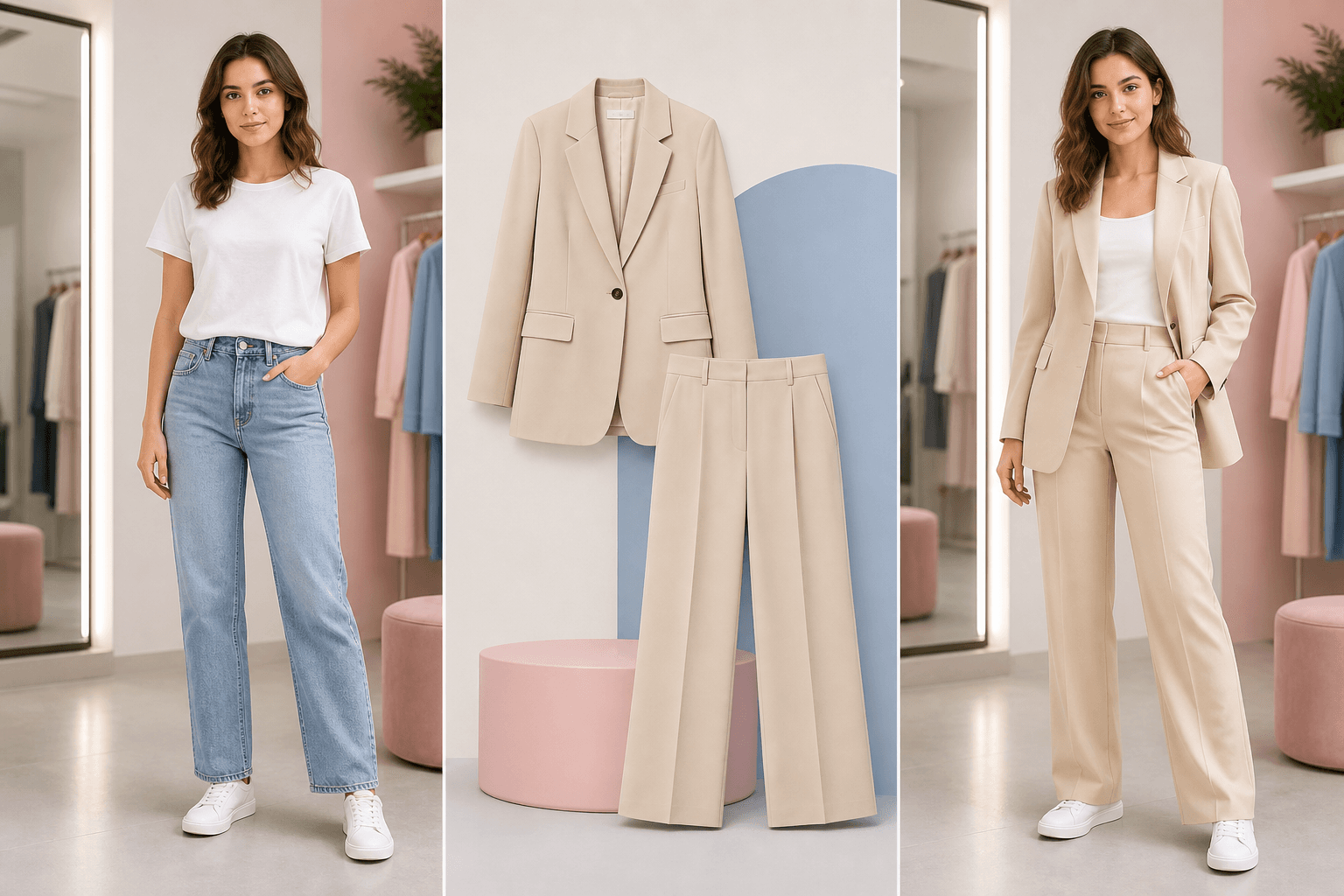
Virtual try-on clothes

Virtual Try-On Clothes for product-reference shopping decisions.

Upload a garment or product reference to see whether that clothing direction is worth buying, styling, or comparing.

Shopping-oriented try-on page for users testing product references.

Product referenceShopping previewFit caveats
Virtual try-on workflow with person photo product reference and result

Shopping workbench

Person photo, garment reference, preview, and limits in one frame.

This layout follows the product-reference behavior users expect from virtual try-on pages: inputs first, preview next, caveats always nearby.

Virtual try-on workflow with person photo product reference and result

Person photo

Full or half body photo with visible clothing area.

Garment reference

Clean product photo, flat-lay, or garment-only image.

Shopping virtual try-on workflow with garment reference and outfit preview

Preview result

A future before/after slider or video loop can live here.

Try a product reference

A shopping preview is not a size guarantee.

Virtual try-on is most useful before purchase when it helps compare color, silhouette, and style fit. It should clearly explain the limits around exact garment size, fabric behavior, and product accuracy.

  • Use a clean product image or garment-only reference.
  • Compare style and silhouette, not exact tailoring.
  • Avoid treating previews as a replacement for size charts.
AI virtual try-on by Fabulous MePhoto + Outfit
AI try-on model
1 creditRemaining 0Fast outfit previews for first-pass styling tests.

Input quality

Best and weakest inputs for virtual try-on

Usually works better

  • Garment image shows the full item with natural color.
  • Person photo has similar angle and visible outfit area.
  • Prompt asks for preserving face, pose, crop, and background.

Usually needs caution

  • Product photo is tiny, watermarked, or heavily folded.
  • Garment is shown on a model in a very different pose.
  • Photo is cropped too tightly to judge fit or length.

Shopping workflow

Try a product reference before you commit.

  1. Upload the person photoUse a photo with enough body framing to judge the clothing silhouette.
  2. Upload the garmentPrefer clean flat-lay or product images with minimal shadows and no heavy crop.
  3. Generate a previewUse a prompt only for styling constraints that the selected model supports.
  4. Check limitsTreat the result as a visual aid, then still verify sizing, fabric, and return policy on the store.

Shopping limits

What virtual try-on cannot know from an image.

Exact size

The preview cannot measure your body or guarantee store sizing.

Fabric movement

Drape, stretch, thickness, and transparency can differ in real life.

Product fidelity

Small patterns, text, buttons, and trims may be approximated rather than exact.

Practical questions

Answers specific to this workflow.

Can I use a store product image?

Use product images only when you have the right to use them. Clean garment images are usually better than busy catalogue screenshots.

Does virtual try-on predict the right size?

No. It is a visual preview for style and silhouette. Always check size charts, measurements, materials, and return policy.

Should I use a template instead?

Use templates when you want a style direction. Use virtual try-on with a garment reference when a specific product matters.

Trust

Trust notes before you upload a photo

AI Clothes Changer is built for consensual outfit previews and styling decisions. The product uses private storage, charges credits only after a successful saved result, and provides support for privacy, payment, and safety questions.