
Prompts
Prompt examples for AI clothes changing
The best prompt is not the longest one. It clearly names the clothing change, the reference image, and the parts of the original photo that must stay unchanged.
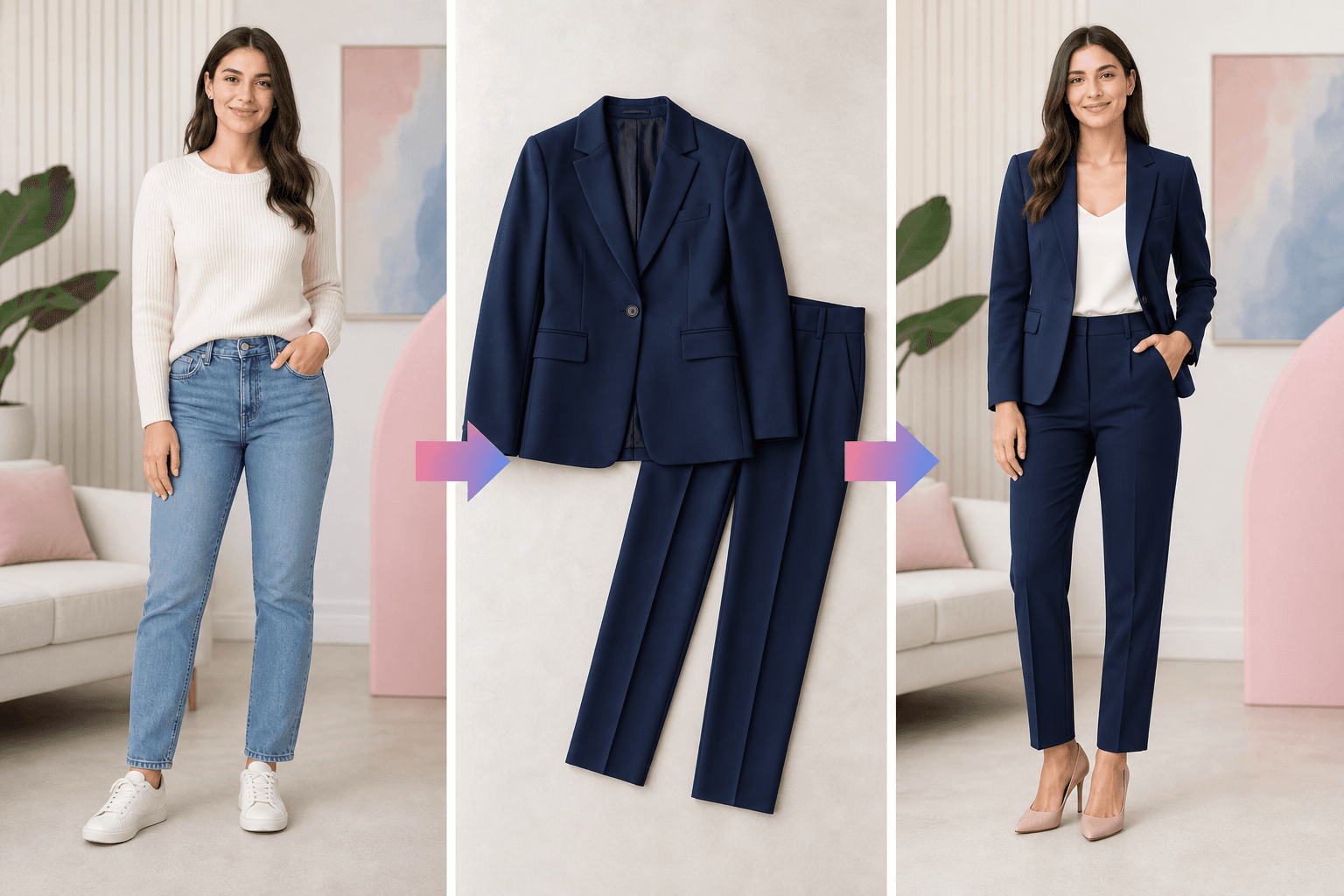
People ask for exact prompts because they want the outfit to change without changing the face, pose, hands, background, or camera crop.
Quick answer
The short version
Write prompts in two parts: first say what clothing should change, then say what must remain stable. For example: replace the visible outfit with the uploaded navy suit; keep the same face, pose, hands, background, lighting, and camera crop.
- One-photo outfit replacement where identity should stay stable.
- Shopping try-on where the uploaded garment is the main reference.
- Outfit planning when the user wants occasion, color, and style direction.
- Forcing exact logos or tiny product details.
- Recovering photo areas that are hidden or outside the frame.
- Unsafe or non-consensual clothing edits.
For one-photo edits
Try: Replace the visible outfit with the uploaded navy suit, keep the same face, pose, hands, background, lighting, and camera crop.
- Use this when the original photo should remain recognizable.
- Mention hands because they are common failure zones.
- Mention camera crop when you do not want the frame to expand or recompose.
For complete outfit planning
Try: Create a smart casual work outfit with a soft blazer, clean trousers, and neutral colors, while preserving the original person and scene.
- Add the occasion: office, wedding guest, date night, vacation, or creator shoot.
- Name 2-3 style constraints instead of listing every possible garment.
- Ask for realistic fabric and natural fit if the result looks too polished.
For shopping try-on
Try: Apply the uploaded garment as the main clothing reference, keep the product color and silhouette as close as possible, and preserve the person's face and pose.
Recommended workflow
How to turn the answer into a better result.
- Name the jobSay whether this is a one-photo edit, a full outfit plan, or a product-reference try-on.
- Name what changesDescribe the target outfit or garment reference in plain language.
- Name what stays stableLock face, pose, hands, background, lighting, and crop when identity stability matters.
Decision checklist
Before you rely on the preview
- The prompt says what clothing should change.
- The prompt says what should not change.
- The prompt does not ask for unsafe or non-consensual edits.
- The input photo and garment reference are clear enough for the prompt to work.
Try the workflow
Try a prompt with the live generator.
Use the AI clothes changer with a clear photo, a garment reference, and a preservation-focused prompt.
FAQ
Related questions people ask.
Should I write a long prompt?
Not usually. A short prompt with clear preservation constraints often works better than a long list of vague fashion words.
Why did the AI change my face?
The prompt may not have locked identity, or the input photo may be unclear. Add explicit preservation wording and use a clearer face photo.
Can prompts fix bad references?
Only partly. A prompt cannot fully recover hidden body areas, low-resolution garment photos, or unclear product details.