
Dress previews
Why dress previews need different photos
Dress previews need more body context than most clothing edits. A cropped portrait cannot answer hemline, waist, event formality, or full silhouette questions.
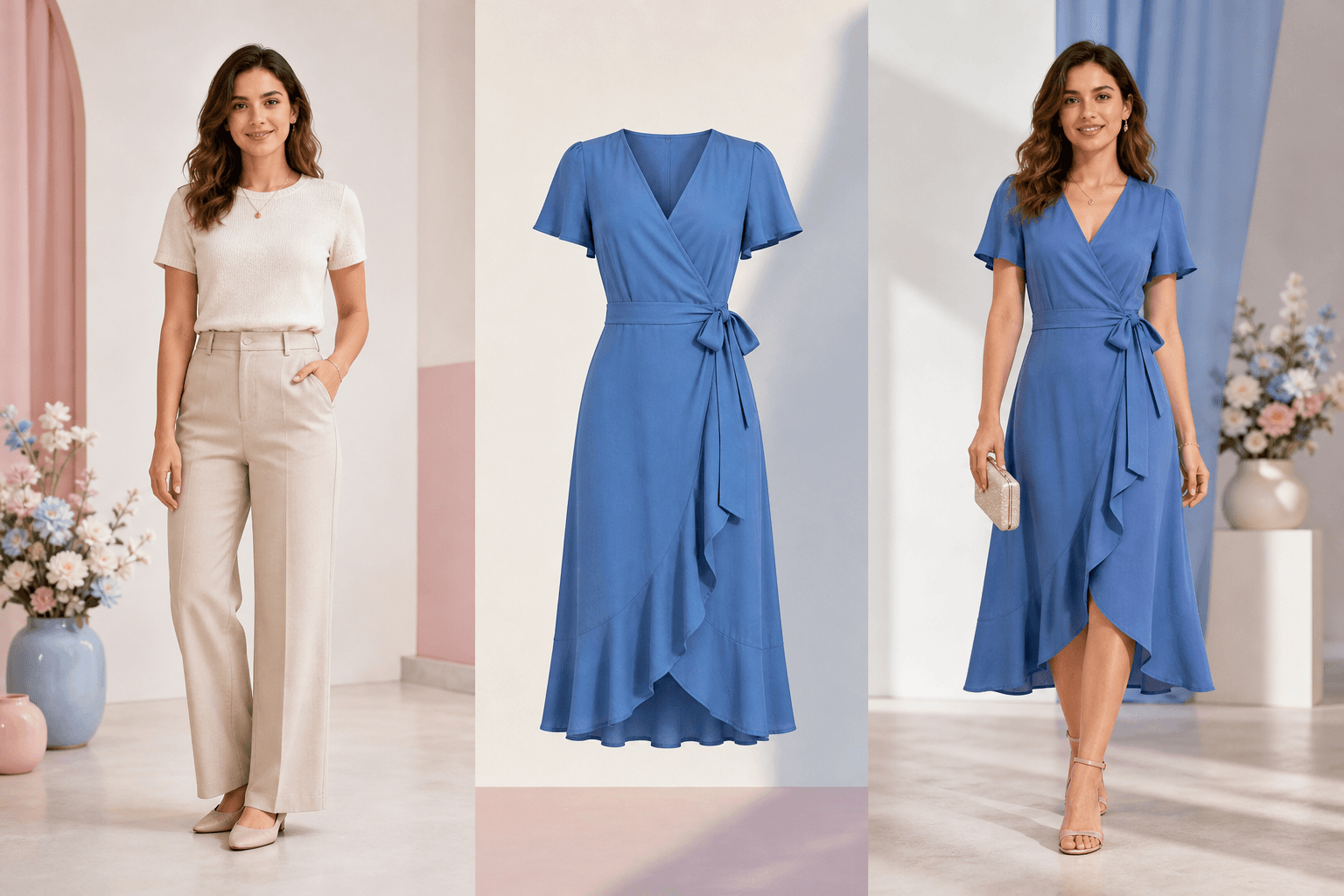
People ask why dress try-on fails more often than tops or jackets. The answer is that dresses change more body area, hemline, waist, legs, and hand overlap zones.
Quick answer
The short version
Use a full-body photo for dress try-on whenever hemline, waist, or event styling matters. Keep hands away from the torso, include the legs and shoes if possible, and describe the occasion in the prompt.
- Comparing dress length, silhouette, color, and event formality.
- Testing wedding guest, office, vacation, evening, or casual daywear ideas.
- Ruling out a dress direction before generating more variants.
- Judging hemline from a cropped portrait.
- Guaranteeing exact fabric movement, stretch, or tailoring.
- Hiding hands, waist, or legs and expecting precise dress edges.
Full-body framing helps with hemline
A mini, midi, or maxi dress cannot be judged from a cropped portrait. Use enough framing to show where the dress should end.
- Include shoes when the outfit balance matters.
- Leave space below the knees for midi and maxi dress previews.
- Avoid cutting the image at the waist or thigh.
Hands and waist are common failure zones
If hands cross the torso, AI may struggle to decide what is fabric and what is body or hand. A cleaner pose can improve dress edges.
- Hands at the side are usually easier than crossed arms.
- Hair over shoulders can affect neckline and sleeve shape.
- Bags can confuse the model near the waist and hip.
Event context matters
Wedding guest, office event, vacation, and evening looks have different formality cues. Put the occasion in the prompt.
Recommended workflow
How to turn the answer into a better result.
- Choose a full-body photoPick the photo that shows waist, legs, and shoes if the dress length matters.
- Use a clear dress referenceA reference with visible neckline, waist, sleeves, and hem is easier to interpret.
- Prompt the eventMention wedding guest, office, evening, vacation, or casual daywear so the styling direction has context.
Decision checklist
Before you rely on the preview
- The photo shows enough lower body to judge dress length.
- Hands and hair do not hide the waist or neckline.
- The prompt names the occasion and dress length.
- The result is treated as a style preview, not a tailoring guarantee.
Try the workflow
Preview a dress with full-body context.
Use the dress changer when silhouette, hemline, and event styling matter more than a simple top swap.
FAQ
Related questions people ask.
Can I preview a dress from a selfie?
Only for neckline or color direction. For hemline, waist, and full silhouette, use a full-body image.
Why do dress edges look strange?
Dress edges often overlap with hands, legs, hair, or background. Cleaner pose and full-body framing help.
Can AI choose the right dress for an event?
It can suggest a visual direction if you describe the event, but you should still use your dress code and practical constraints.